Turn any AI agent into a presentation designer.
Decaframe works with Claude, Cursor, Codex and twenty more. Ask for a deck and you get one that looks finished, matches your brand, and is yours to edit and share.

Made by an agent from one prompt. Not touched up.
Why decks from AI usually look off
Ask a chatbot for slides and you get the words. The layout is still your job. Bullets run long, the chart is a screenshot, and every page is a slightly different version of the same template. You spend the evening fixing it anyway.
Decaframe gives your agent a proper set of parts to build with: layouts, components, charts and diagrams that all match. It checks that every page fits before the deck comes back to you, so what arrives is ready to send.
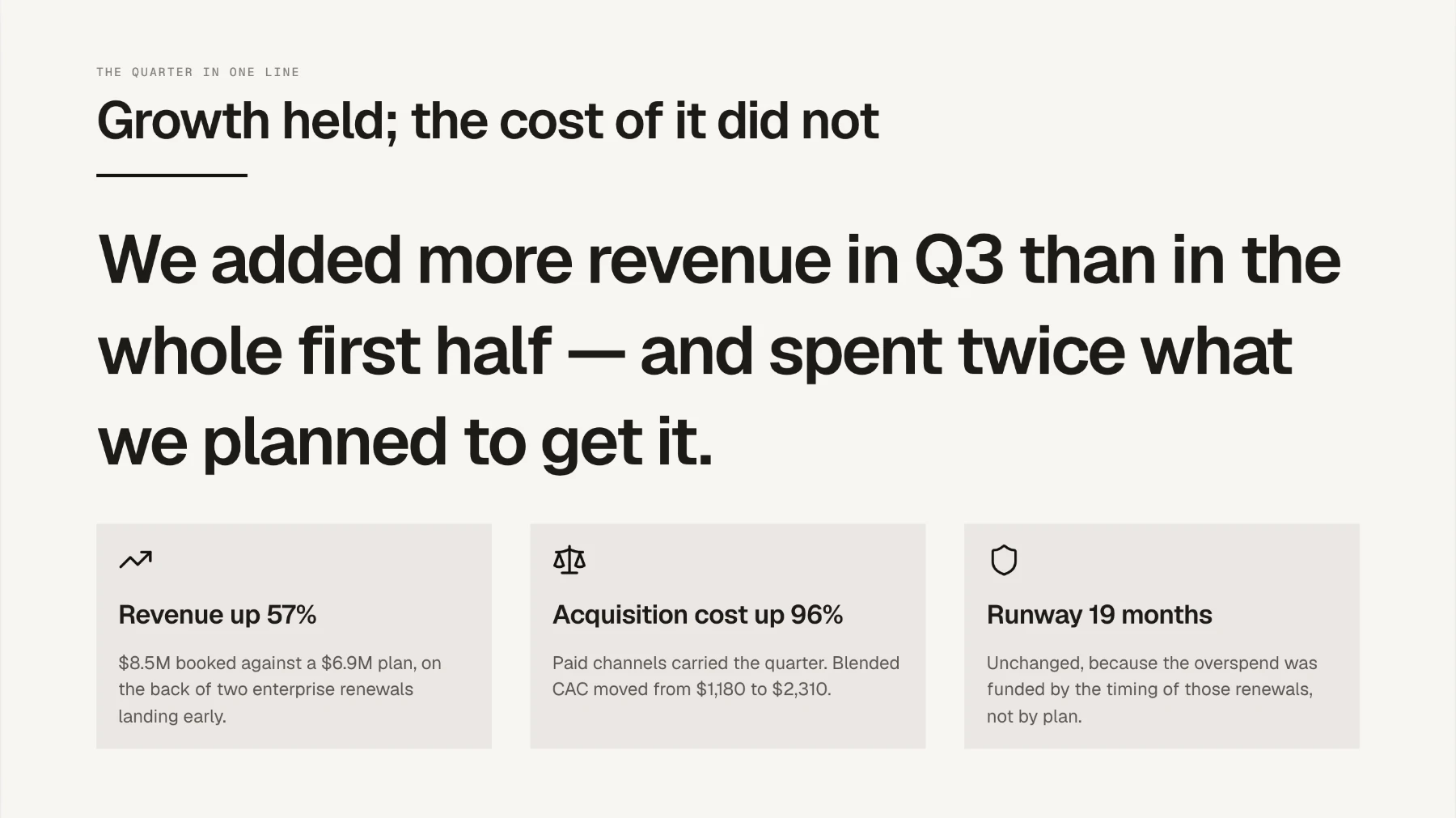
Every page matches
Your agent builds from layouts designed as a set. Page twelve looks like it belongs with page one, and nothing needs tidying before you send it.
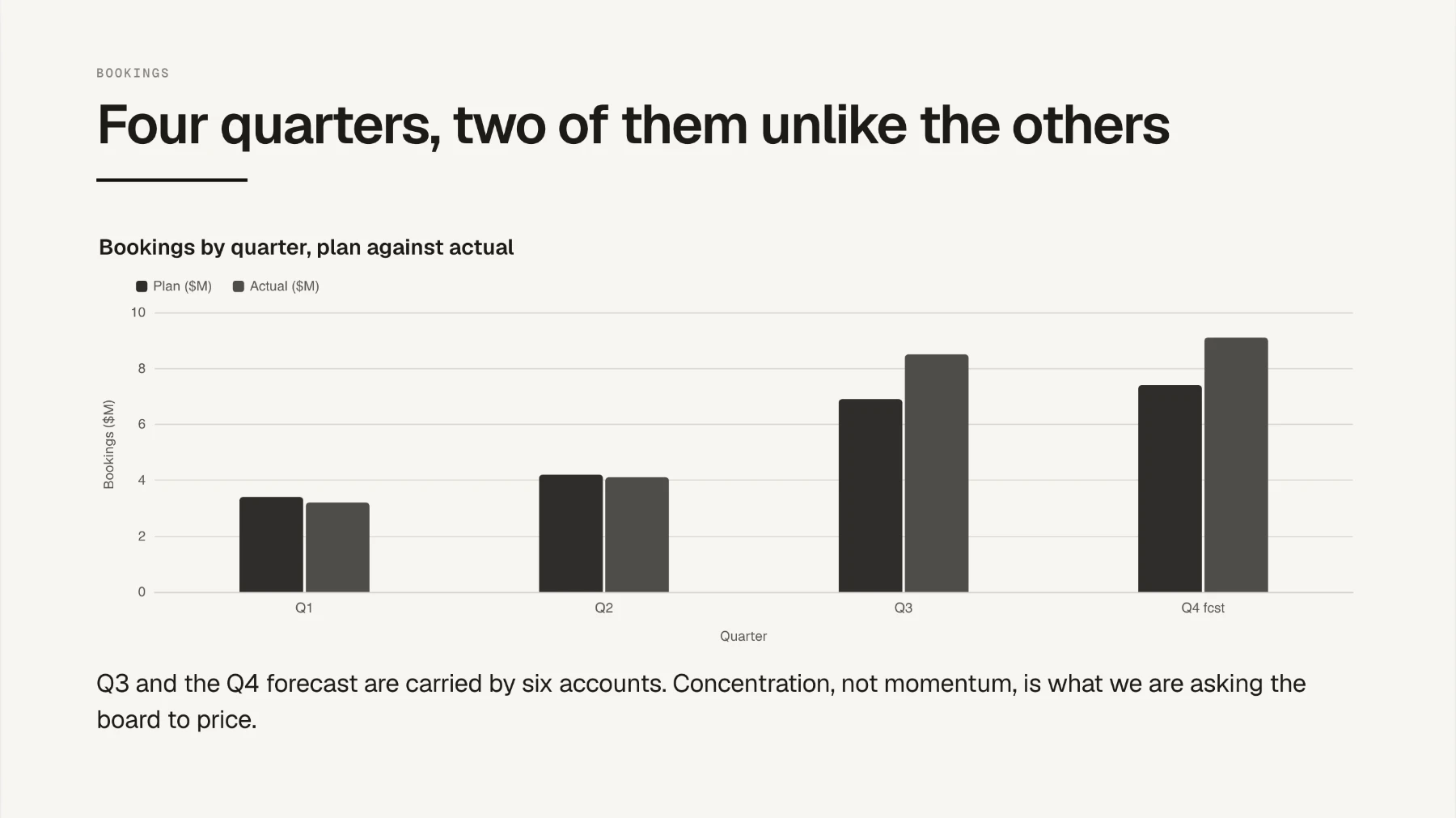
Charts from your numbers
Give it the figures and it draws the chart in the deck's own colours. No more screenshots of spreadsheets.
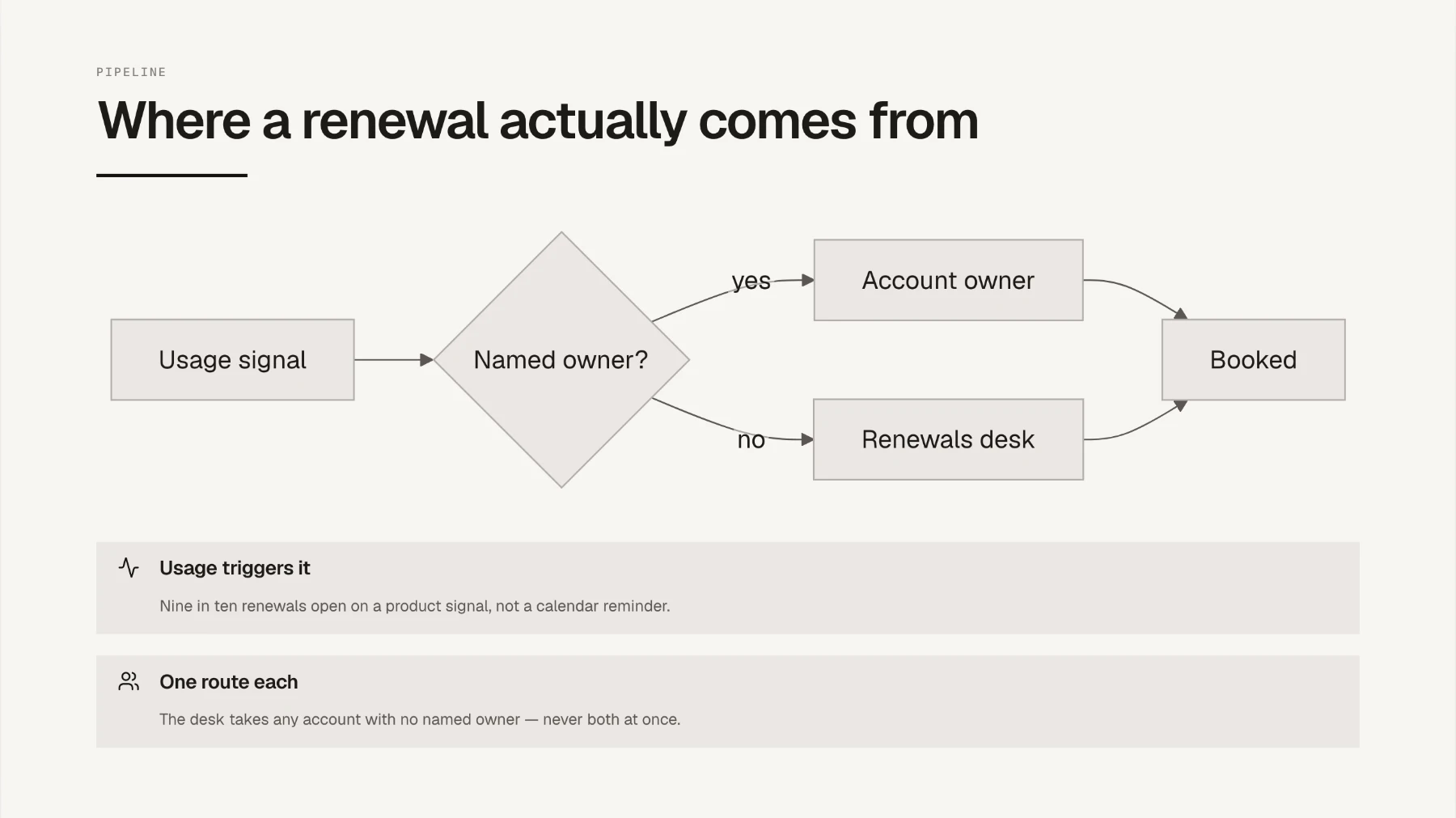
Diagrams that match too
Flowcharts, org charts, timelines, sequences. Your agent draws them in the same style as the rest of the deck, so nothing looks pasted in.
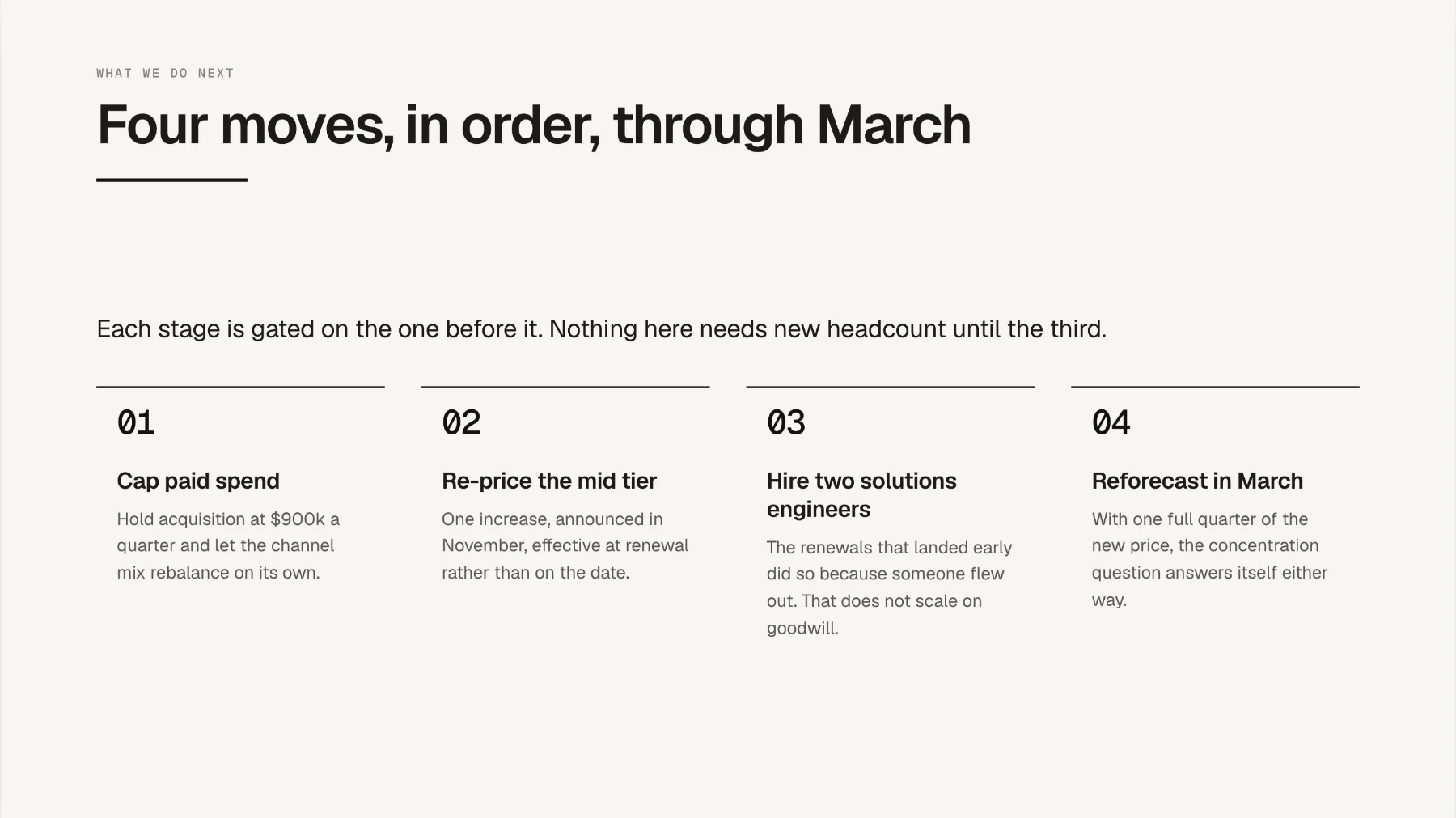
Change the theme, keep the content
Switch themes and every page updates at once: type, colours, charts and diagrams.
How it works
Step 1
Add it to your agent
Decaframe adds two things to your agent: the tools it builds a deck with, and a skill that teaches it to use them well. Pick your agent and install both.
It works with twenty more, from Claude and ChatGPT to the apps that run models on your own machine. See the full list. Decaframe runs on your computer, so it works in any app that can start a program.
Step 2
Ask for a deck
"Make me a ten-page board deck from this spreadsheet." Your agent picks the layouts, writes the copy, draws the charts and fixes anything that doesn't fit before it replies.
There is nothing special to type. Ask the way you would ask a colleague.
Step 3
Open it, edit it, share it
The reply includes a link. Open it and the deck is in your browser. Click any text to edit it, and your agent sees what you changed.
Export gives you a single file. Present it full screen, email it, or open it on a phone. The person you send it to needs nothing installed.
What's included
- Hundreds of components
- Boxes, steps, timelines, tables, quotes, team pages and stat rows, each in several styles. A long deck never has to repeat itself.
- Charts
- Column, bar, line, area, pie, donut, waterfall, heatmap. Drawn from your numbers in the deck's colours.
- Diagrams
- Flowcharts, org charts, sequences, state diagrams, mind maps, Gantt charts, kanban boards and Venn diagrams, all styled to match the deck.
- Your own branding
- Nine themes to start from, and a theme builder for your own brand. Turn any deck into a template your agent builds from next time, or pick one up from the community library.
- A real editor
- Click and type, move blocks around, change how a page looks. Your agent sees every change you make.
- One file to share
- Export is a single file. Present it, email it, or open it on a phone. Nothing to install.
- More than slides
- 16:9, 4:3, A4, or a page that grows with its content. Reports and one-pagers come from the same tool.
Build a theme in your own colours
Give it your brand colours and fonts, and the rest is generated for you: a full palette in light and dark, and every page redrawn to match as you type. The builder keeps text readable on every colour, so nothing goes out looking wrong.
Share a theme, or turn any deck into a template, and anyone using Decaframe can pick it up from the community library. Both are free.
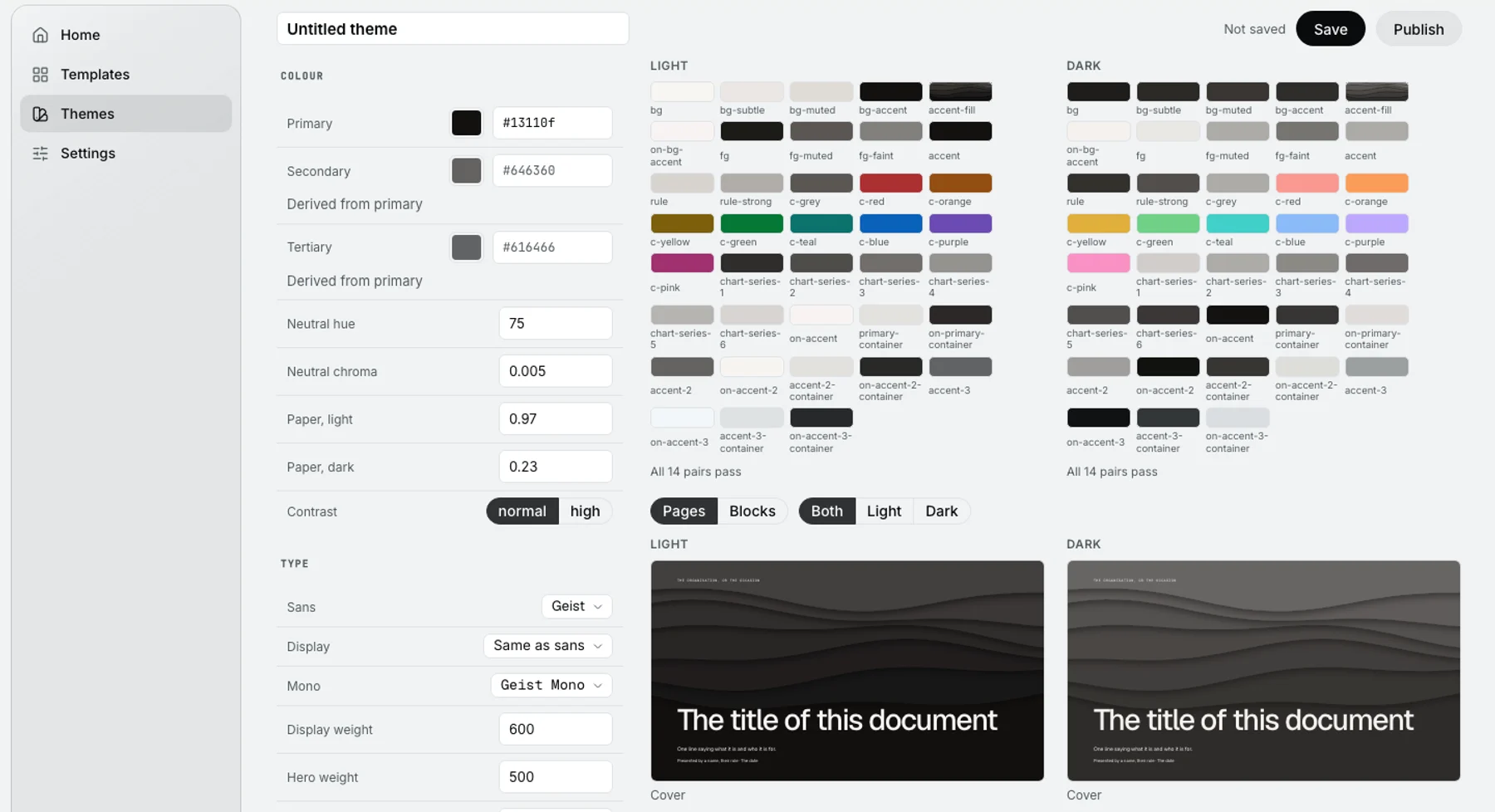
Your brand colours and fonts on the left. The palette, light and dark, and every page on the right are generated from them.
Free, and it stays free
Everything on this page is free: the agent tools, the editor, every theme, the theme builder and the community library. Your decks stay on your computer, and there is no card to enter.
Paid plans for cloud decks, sharing and teams are on the way.
Try it on your next deck
Install it once. After that, just ask.